Visual CPQ

Visual CPQ for custom manufacturers

Your dealers configure the product on screen, watch it change as each option is chosen, and send a priced quote before the meeting ends. Visual CPQ puts the build, your rules, and each dealer’s own prices in one flow. The buyer approves a picture of what they are buying, instead of a spec sheet they have to imagine.

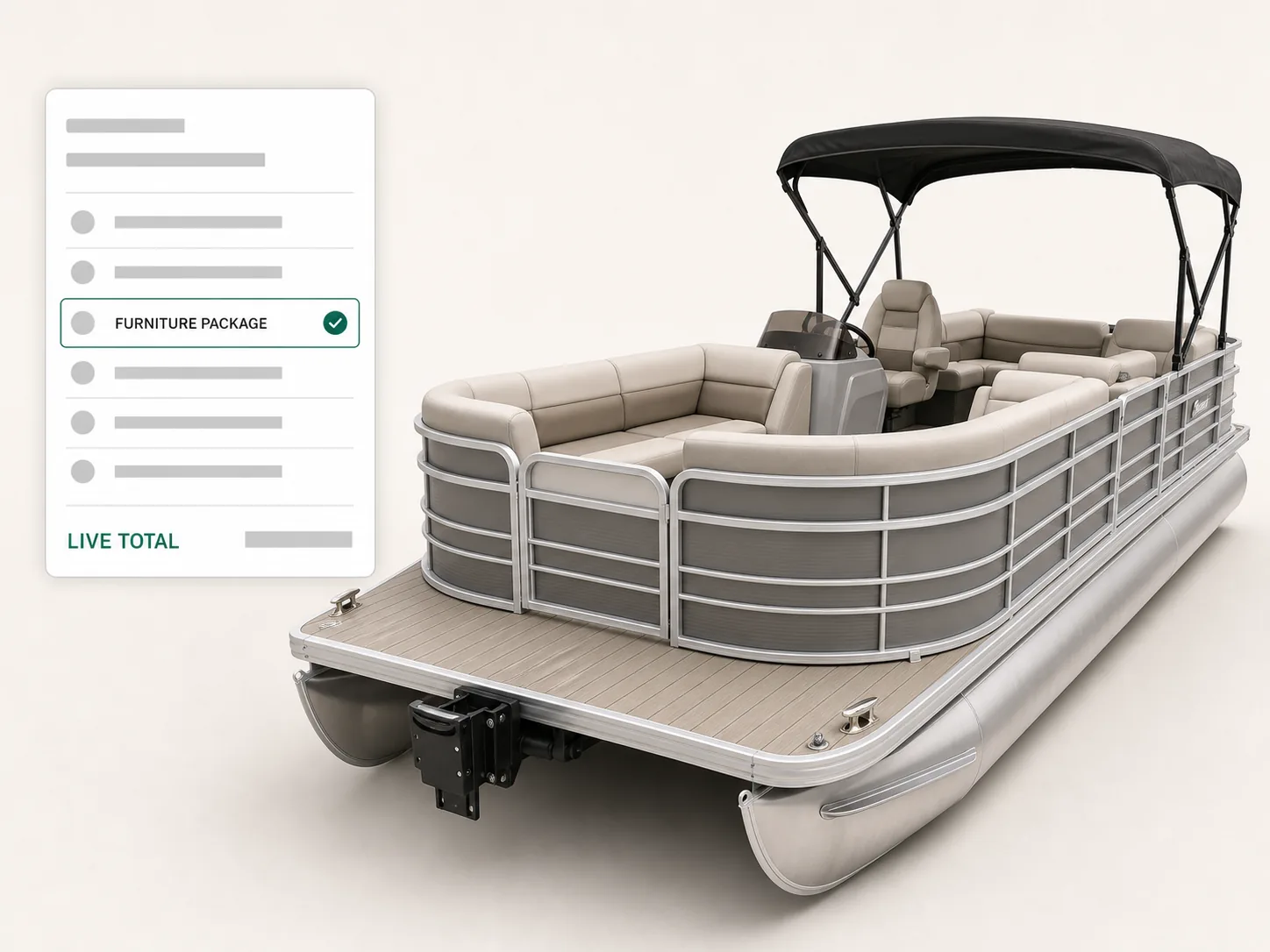
Visual CPQ screen configuring a pontoon boat, the deck layout and railing options left and the running total moving.
In plain words

What is visual CPQ?

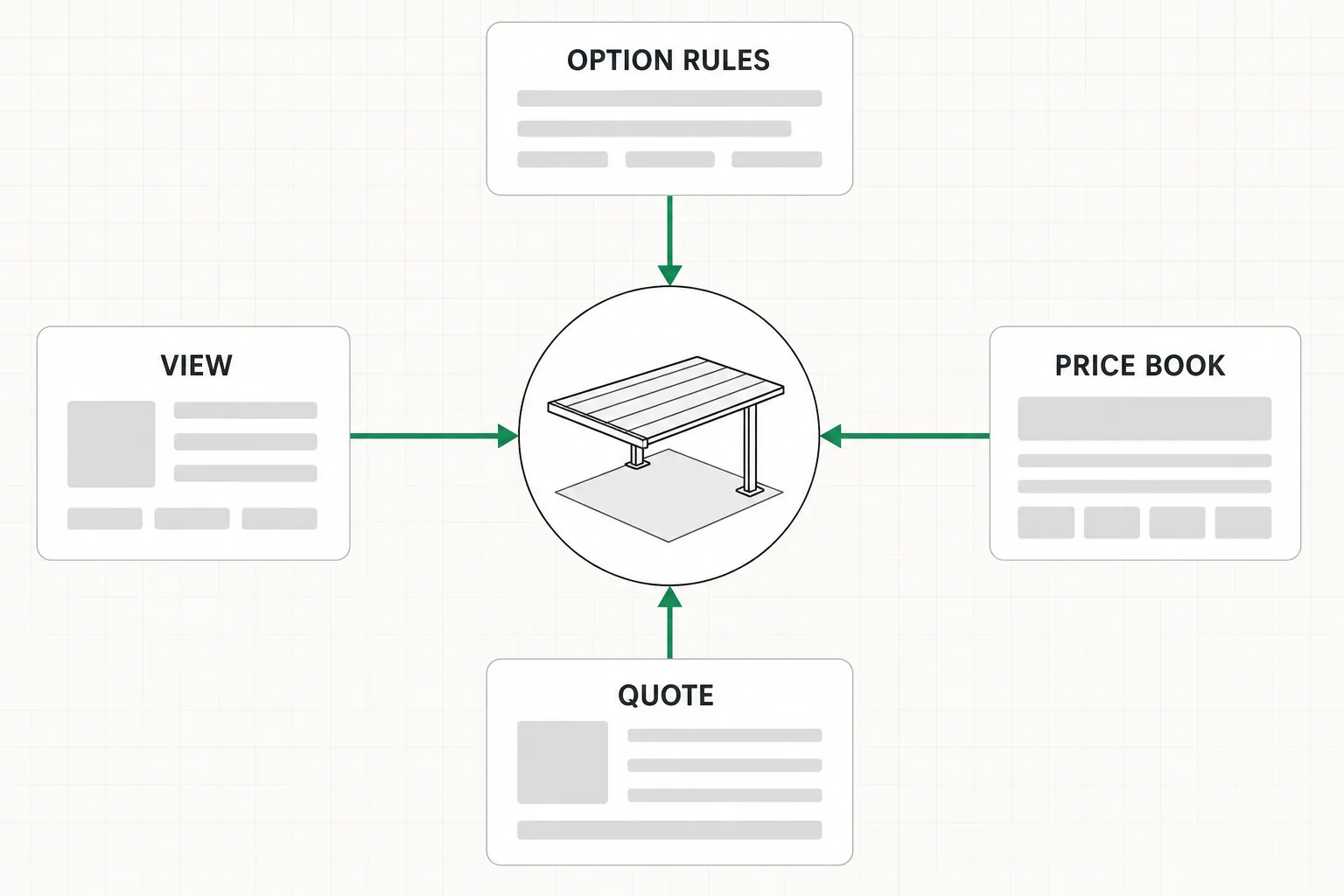
What visual CPQ joins: option rules, the price book, the quote document, and a live view of the product, in four panels.

Visual CPQ is configure, price, quote with the product on screen as it is being configured. The buyer approves a picture of the build rather than a line on a spec sheet. It carries the manufacturer's option rules and prices underneath the view, so the thing on screen is also the thing being quoted.

What it joins

Four things that used to live apart

The option rules, the price book, the quote document, and the view of the product itself. Visual CPQ holds all four behind one screen. A change to an option price reaches the picture, the total, and the quote in the same moment, instead of in three separate updates somebody has to remember to make.

What changes because of it

The buyer stops imagining, the seller stops explaining

A configured sale runs on a salesperson describing something the buyer cannot see. Put the build on screen and that conversation ends: the picture answers the question, and what is left to talk about is the price and the date. Vendors sell this half as cpq visualization, and the word is accurate as far as it goes.

Written and kept current by the team that builds Dealect, in Mississauga, Canada. Who builds Dealect.

The comparison

Visual CPQ vs CPQ vs a product configurator

Visual CPQ is the one of the three where the buyer watches the product change while it is priced. CPQ is the wider configure, price, quote loop, with the approvals and the order trail behind it. A product configurator stops at a valid build with no price on it. Which one you need depends on whether your buyer can picture what they are ordering.

Side by side · one configured deal
In a configured dealVisual CPQCPQProduct configurator
What the buyer seesThe product itself, changing as each option is chosenA quote document, once somebody has produced itThe product, with no price attached to it
What it decidesWhich builds are valid, and what each one costsThe price, the discount, and who has to approve itWhich combinations of options can be built
What comes outA priced configuration and a quote carrying its pictureA quote, an order, and the approval trail behind itA valid specification
What it reads fromYour option rules and each dealer's own price listPrice books, discount rules, CRM and ERP recordsYour options and the rules between them
What it does not doReplace the rules underneath it. The view is the interfaceShow the buyer the build it is pricingPut a number on anything

In practice all three arrive as one screen. A product configurator is the part that knows what can be built. Visual CPQ is that part with the price and the picture attached, in front of a buyer who is deciding. CPQ software for manufacturing is the name for the whole loop once approvals and downstream systems hang off it. Choosing between the three is usually the wrong question. Whether your buyer can picture what they are signing for is the right one. And if the letters themselves are new, our guide to what CPQ means starts from zero.

The problem

Nobody argues with a picture. They argue with what they thought the words meant.

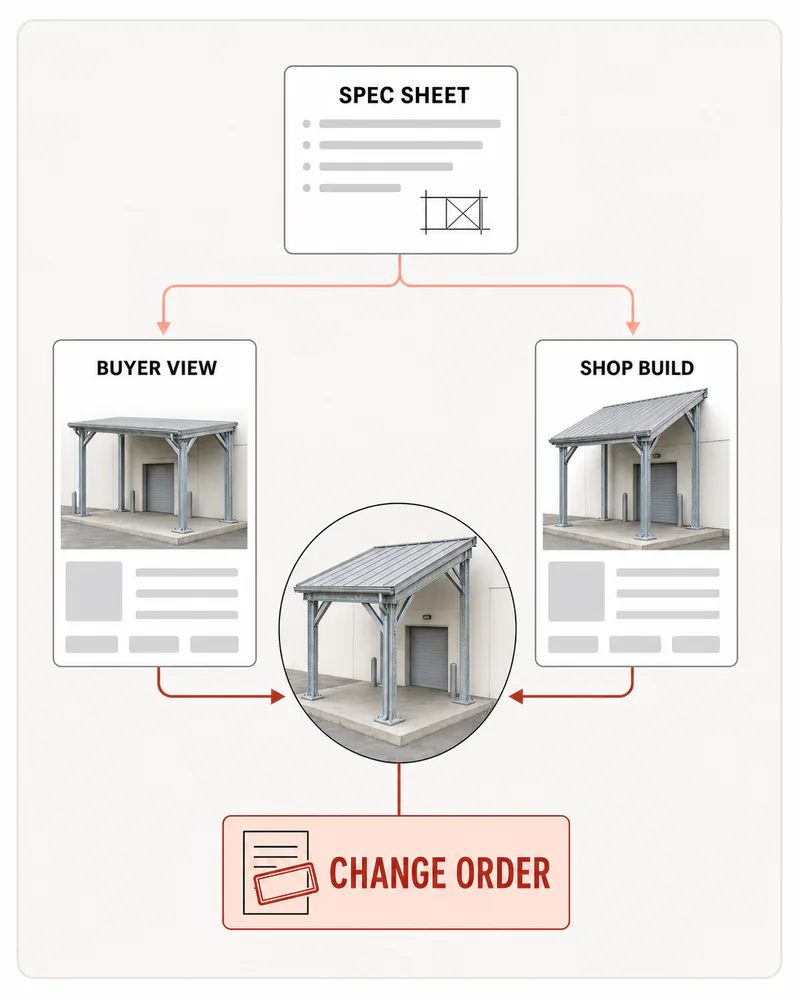
A configured product is described in writing, approved in writing, and built from that writing. Every gap between what the words said and what the buyer pictured arrives later, as a change.

The gap a spec sheet leaves: one specification read two ways, a sketch going back and forth, and a late change order.
  • The buyer signs a spec sheet and pictures something else

    A parts list and a set of dimensions are not a picture. Two people can read the same sheet, agree on every line of it, and still be holding two different products in their heads when they shake hands.

  • What arrives is what was ordered, and it is still wrong

    Nothing was mis-built and nobody made a mistake. The specification was correct and the expectation was not, which is the most expensive kind of correct there is.

  • Every clarification is another drawing and another week

    The questions a picture would have answered come back as emails instead. Someone in your office produces a sketch, sends it, and waits, and the deal sits still for as long as that takes.

  • The change order lands after the steel is cut

    The moment a buyer finally sees the thing is the moment they notice what they wanted instead. Visual CPQ moves that moment forward to before the quote is signed, which is the one place it costs nothing.

How it works

Choose, see, price, quote, without leaving the screen.

Visual CPQ runs the four moves a good rep already makes. The difference is that the product is on screen for all four of them.

  1. Step 01 · The questions, in selling order

    Step 1: Choose

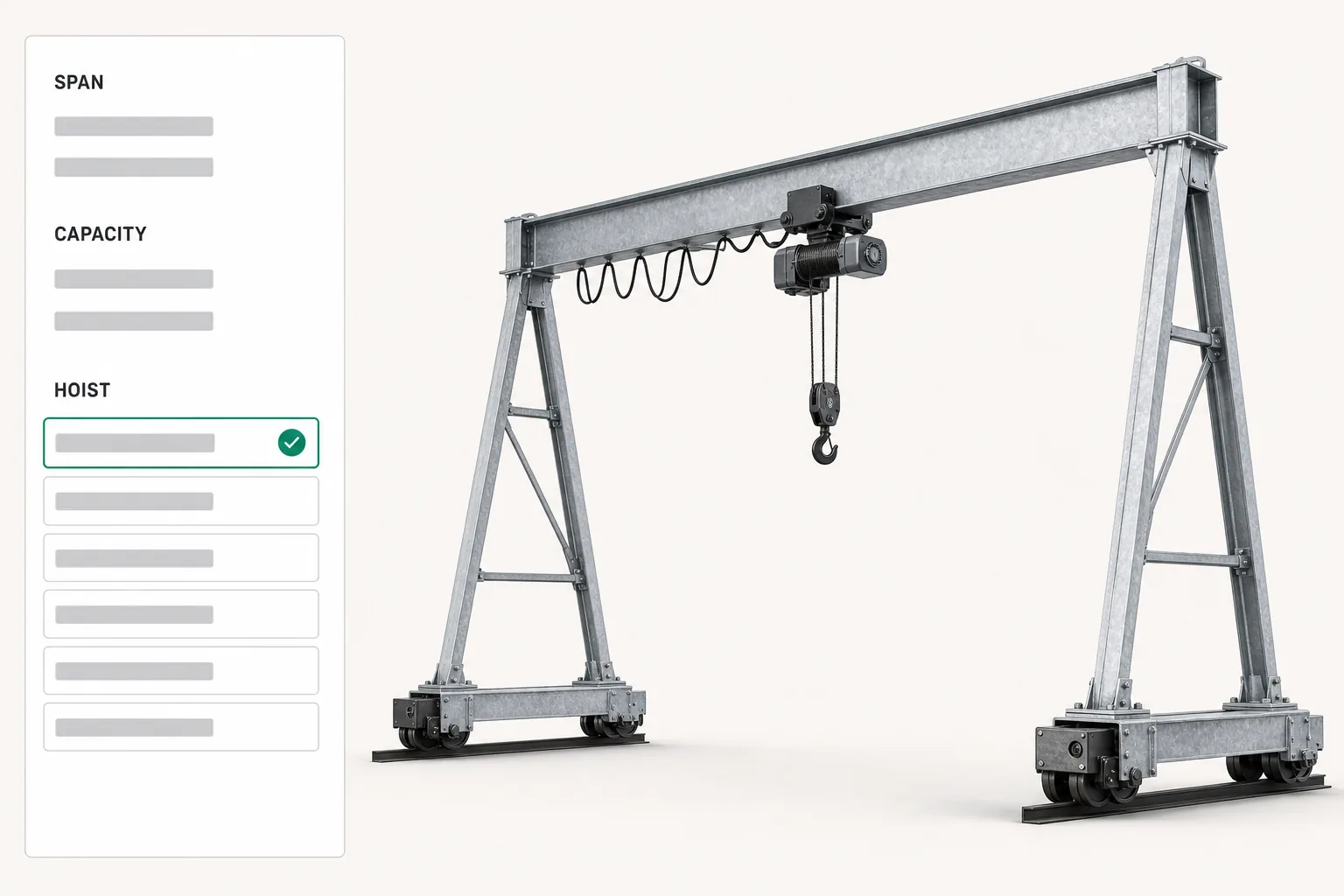
    The configurator asks what a good rep already asks, and in the same order: the size first, then the material, then the options that depend on both. Your rules sit behind every answer, so a combination your shop will not build is never offered. The model redraws as each question is answered, which means the buyer watches their own decisions accumulate rather than waiting for a summary at the end.

    Configuring a gantry crane, with span and capacity answered first and the hoist options narrowing as the model redraws.
  2. Step 02 · The thing on screen is the thing being priced

    Step 2: See

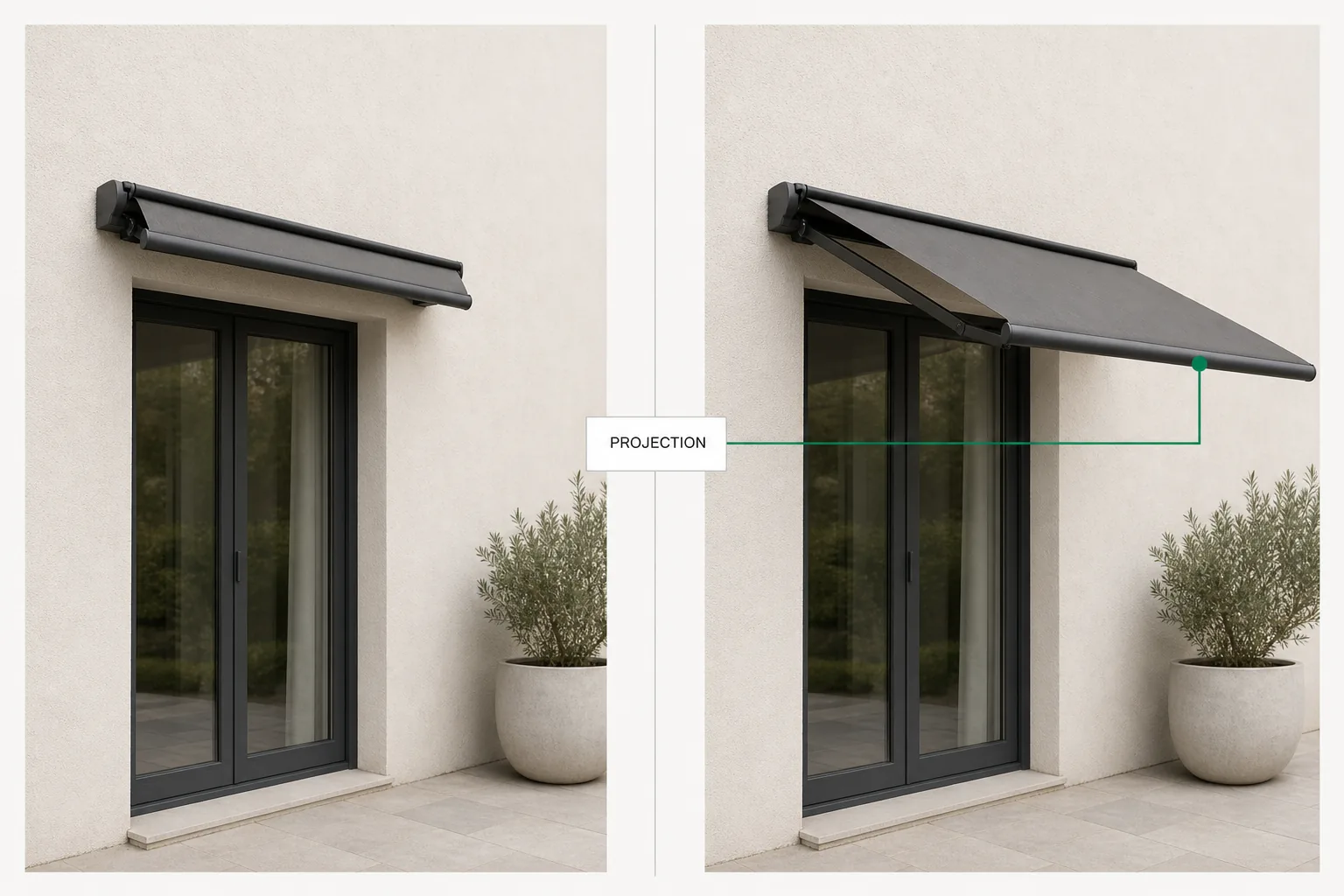
    Not a similar model, and not the catalog photograph of the nearest standard product. The phrase vendors use for this is cpq visualization, and it earns the name only when the render is driven by the same configuration the quote is built from. The difference shows the second a buyer asks what the wider span looks like: they get an answer in the room, rather than a promise to send a drawing on Thursday.

    One retractable awning at two projections side by side, the same configuration driving the picture and the priced lines.
  3. Step 03 · The total moves with the view

    Step 3: Price

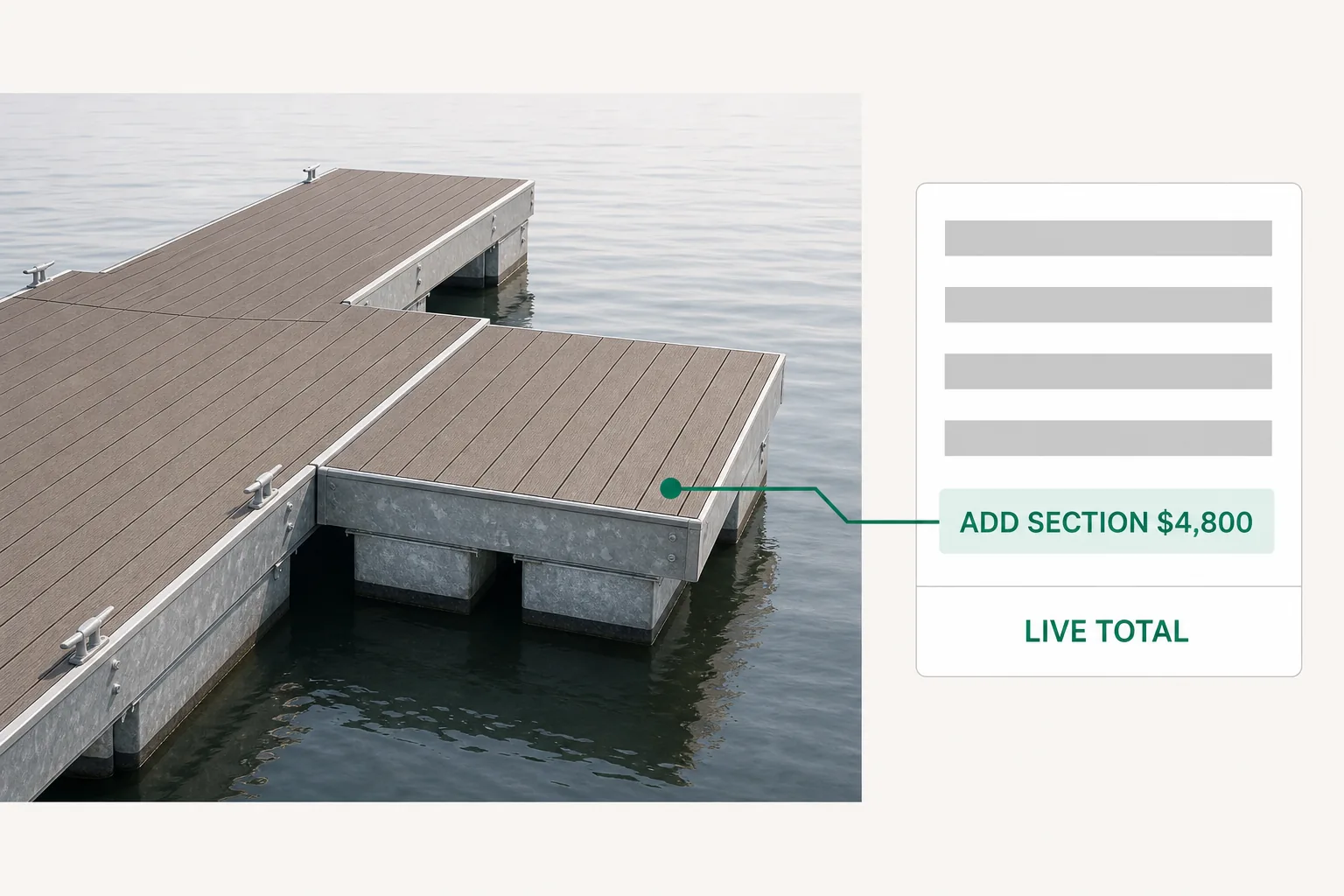
    Every option carries its own price, so the number changes on the same click that changes the picture. The prices are the ones you quote by hand today, not a rounded package figure. Each dealer works from their own price list and watches their own margin while they build. A visual CPQ that shows one price to one anonymous buyer is a demo, not a quoting tool.

    Live pricing beside a configured floating marina dock, each section priced on its own line, the total rising as one is added.
  4. Step 04 · A document, while the buyer is still looking

    Step 4: Quote

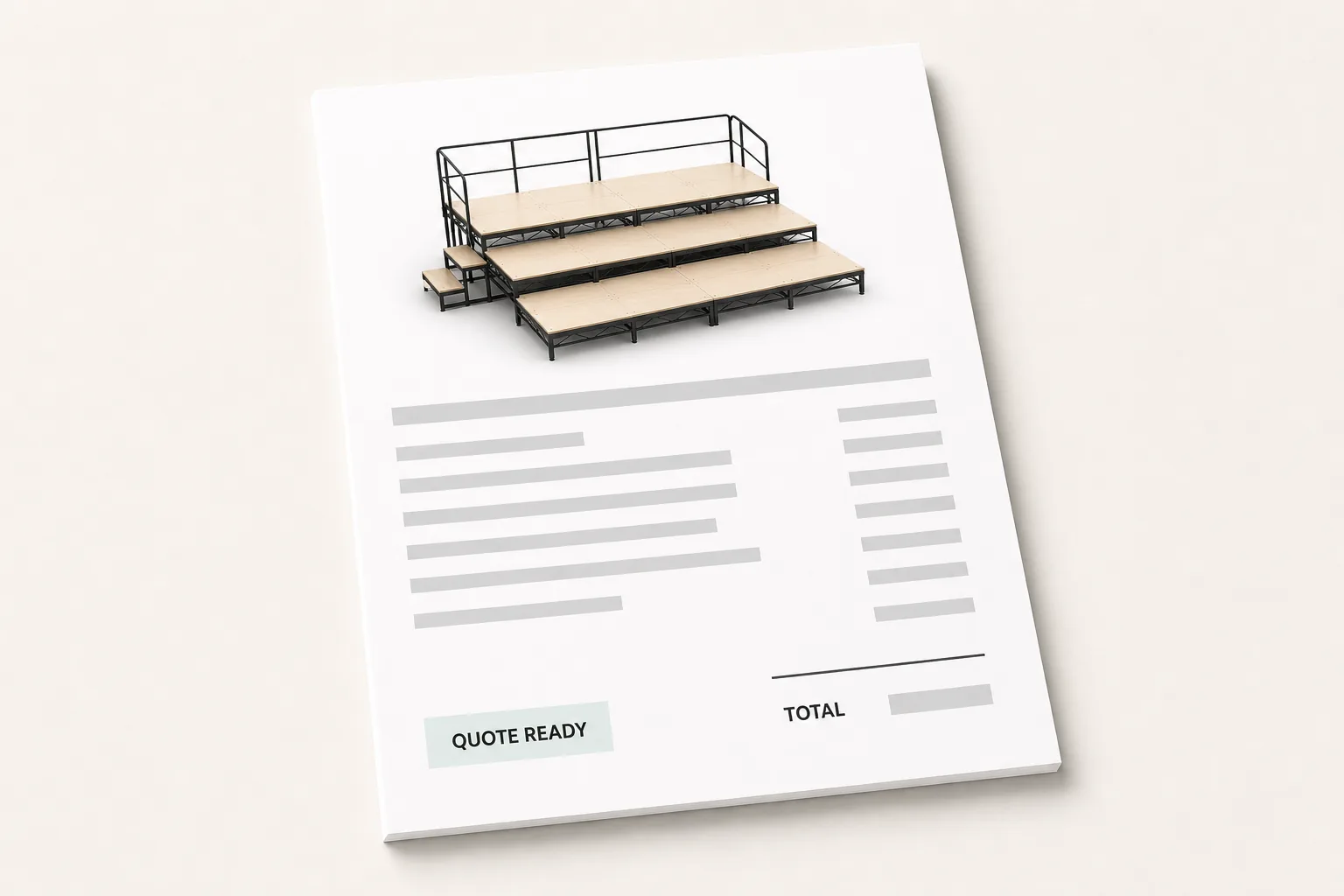
    The configuration becomes the quote in the room, its line items and its total taken straight from the build that was just made. The picture goes with it, so what the buyer opens tomorrow shows what they approved today. That attachment is the part visual CPQ adds to an ordinary quote, and it is the part that ends the argument before it starts.

    Finished quote for a configured stage riser, the render of the build printed on the document and a quote ready status.
See it move

Those four steps, in one unbroken take.

A dealer configures a build, watches the price update itself, and sends the order to the factory. No call and no form to watch it.

Which picture

Real time 3D, 2D, or photorealistic

Every page on this subject calls itself visual CPQ and none of them says which kind of picture you actually need. Three answers, and a verdict at the end of them.

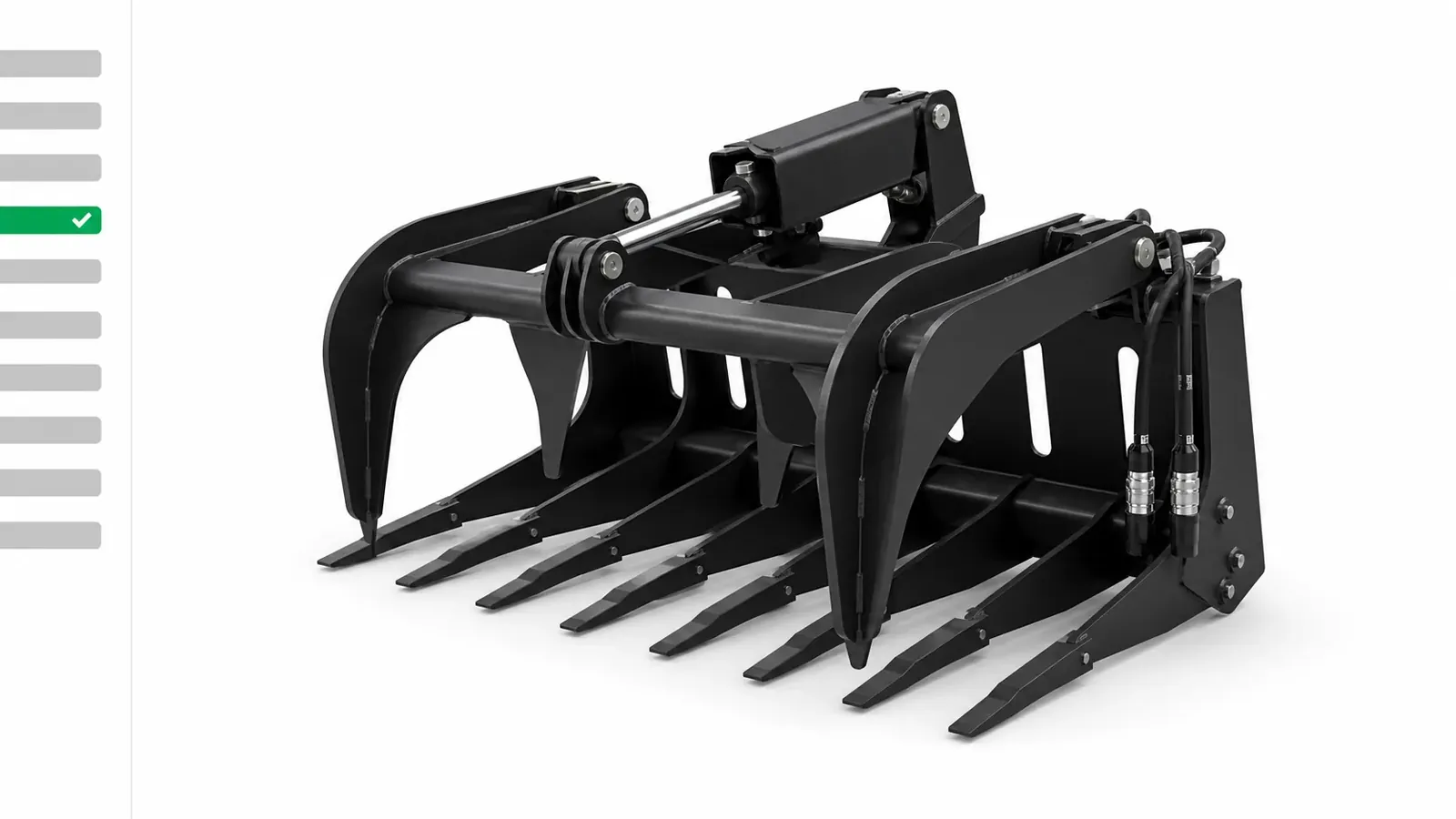
A skid steer attachment redrawing in real time as the cutting edge and hydraulic options change, with no image library.

Real time 3D, which is what 3d cpq software means in practice

The model is rebuilt in the browser on every click, so any combination of options can be shown without anyone having rendered it first. That is what cpq with 3d actually buys: a product line with a hundred thousand valid builds needs no image library, because there are no images. It is the right default wherever the shape itself changes with the order, and the engine behind it is our 3d product configurator.

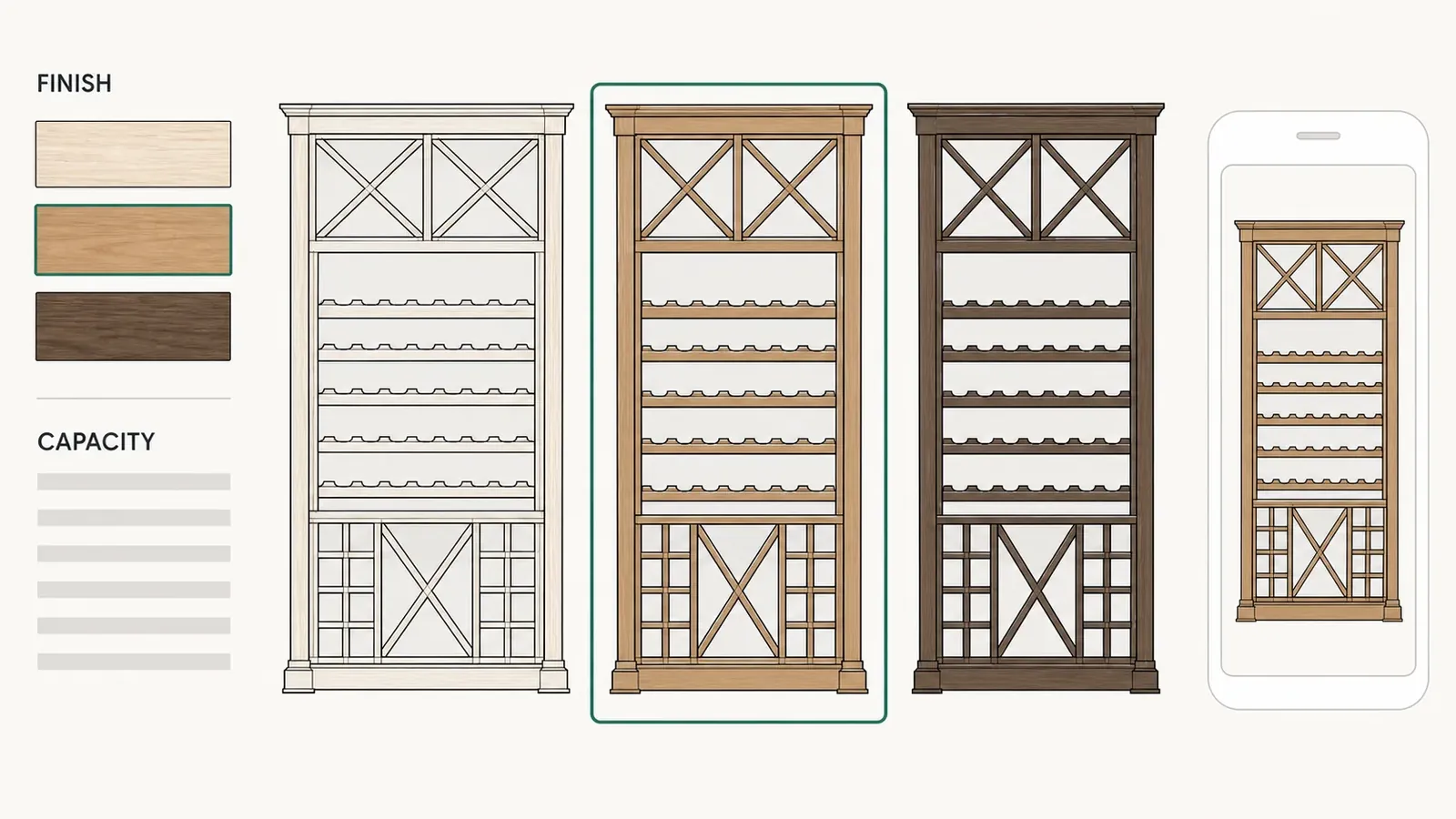
A layered 2D view of wine cellar racking swapping flat artwork as the timber finish and bottle capacity change.

2D, which is not the poor relation

A layered 2D view swaps flat artwork as the options change. It is cheap to build and it loads instantly on a phone with one bar of signal on a job site. For products that vary in finish and trim rather than in shape, it tells the buyer everything they need to decide. Where a 3d cpq would mean rebuilding your whole catalog as geometry, 2D is often the honest answer.

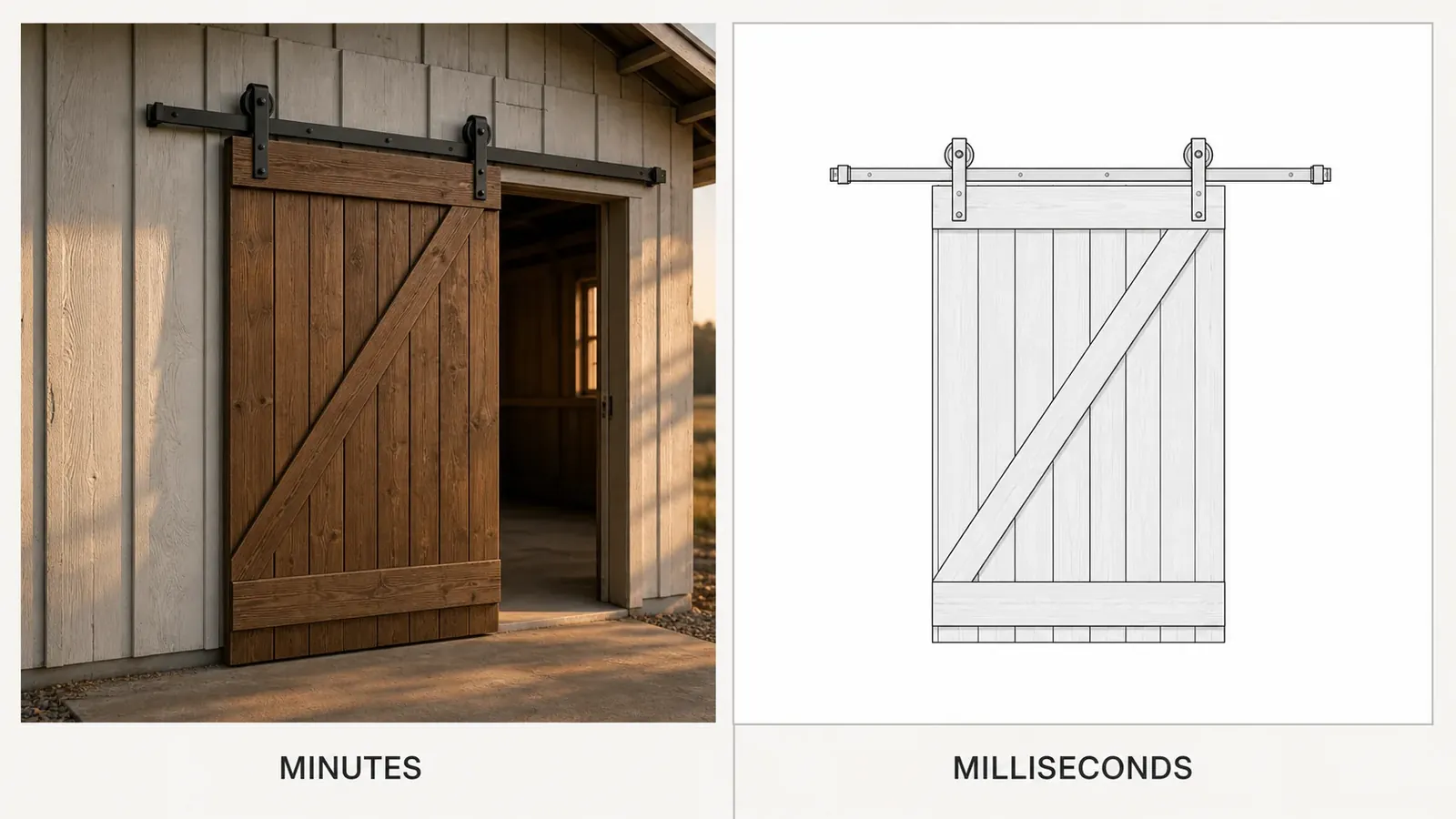
A brochure grade render of a sliding barn door beside the same door drawn as the fast configurator view.

Photorealistic, which is a marketing asset

Offline rendering produces images good enough for a brochure cover, at minutes per frame rather than milliseconds. Photorealistic cpq exists, and it is genuinely useful for the twelve hero shots on your website. It is not what a dealer configures against: a buyer who waits ten seconds for a picture stops changing options.

The verdict

Real time 3D, at moderate fidelity, for almost everything

The buyer has to recognise the build and see the choice they just made. They do not have to count the grain in the cedar. Fidelity past that point costs money at every stage and changes no decision. Photorealism belongs in your catalog, and visual CPQ belongs in front of the buyer.

Visual configuration

The picture shows. The rules decide.

Visual configuration is the half of this that everyone demonstrates, and it is the half that decides nothing. A photorealistic render of a build that cannot be manufactured is still a build that cannot be manufactured. What makes a visual quote safe to send is the layer underneath the render: the option dependencies, the exclusions your shop actually works to, and the price book the total is assembled from. Those two layers are what the quote is built out of, and the render contributes nothing to the document at all. That is also where the work of setting one up goes. The rules are the part nobody has ever written down, and the render is the part any vendor can show you inside an hour. Visual CPQ is the whole stack, not the top of it.

Three layers · one of them decides nothing
Shows. Decides nothing.The renderWhat the buyer seesOption rulesWhat can be builtPrice bookWhat each build costsThe quoteAssembled from the two below

Every vendor on this subject sells the view as the product. The quiet part is worth saying, because it is what a manufacturer is actually buying: the view is the interface and the rules are the engine. Visual configuration software that renders beautifully and validates nothing produces quotes you have to walk back, and it produces them faster than the old way ever did.

So a visual CPQ is judged on what it refuses to quote, not on how good the render looks. That is the one thing worth asking about in any demo you sit through, and it is the question a render cannot answer for you however good it looks.

Price visibility

One build, three different numbers

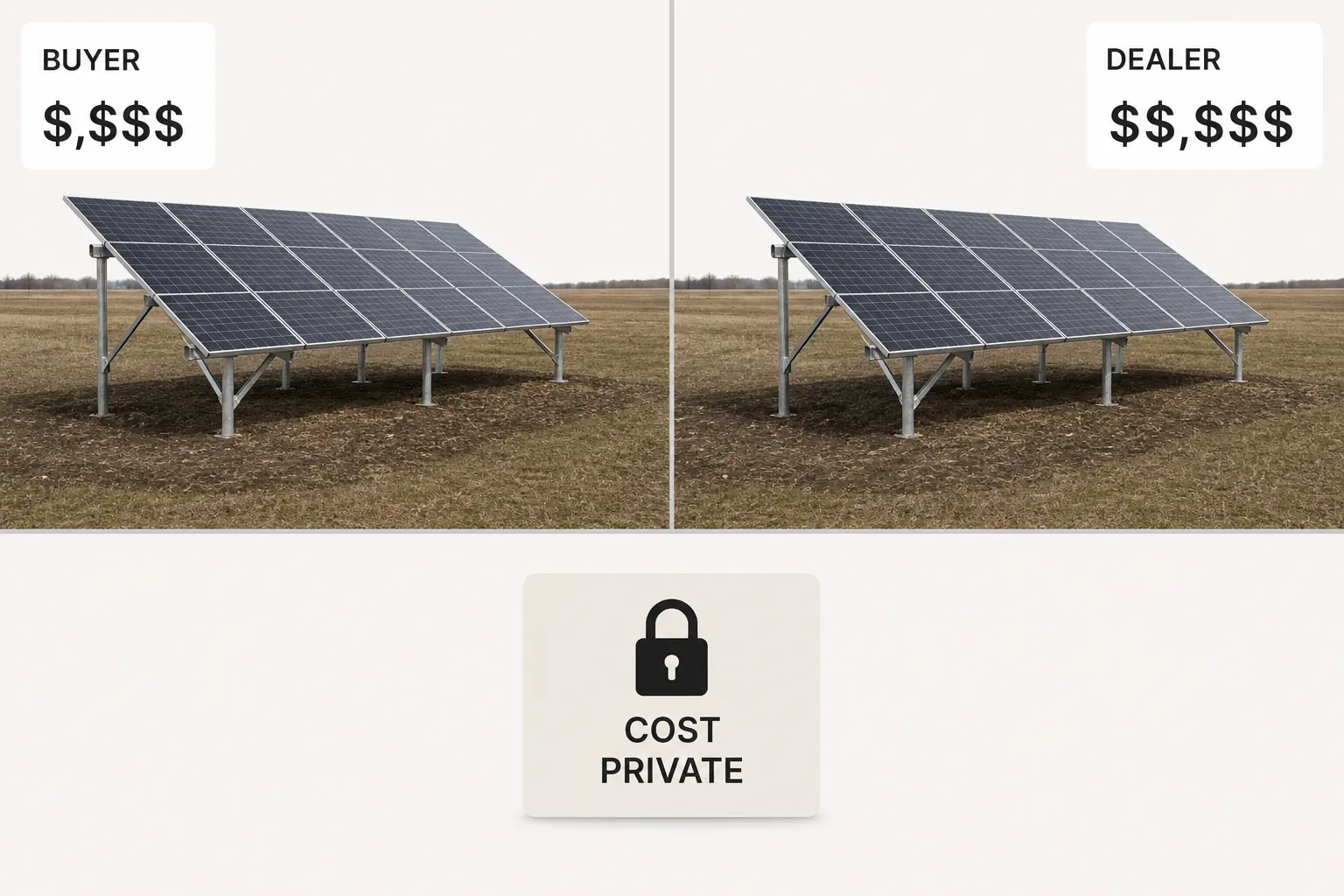
In July 2026 we read the fourteen pages ranking in the US for visual CPQ and for 3D CPQ. Not one of them mentions dealer-specific pricing. That is not how a dealer network works: the same configured build carries three separate figures at the same time, and each party is shown only theirs.

A dealer who cannot see their own margin is guessing, and a dealer who can see your cost price is negotiating with it. The whole three-tier picture, drawn as a table, is on our 3d product configurator page.

One configured solar ground mount array carrying three prices at once, the buyer's, the dealer's, and your own cost.
Who sees which number
The buyer sees
One finished price for the build in front of them, from the dealer they are talking to.
The dealer sees
Their own price list and their own margin on this deal, and never another dealer's numbers.
You see
Every quote across the network, plus the cost price, which never leaves your side.
The software

What visual CPQ software has to do

Most lists on this subject run past a dozen features and recommend none of them. Visual CPQ comes down to four, and three of the four sit underneath the picture.

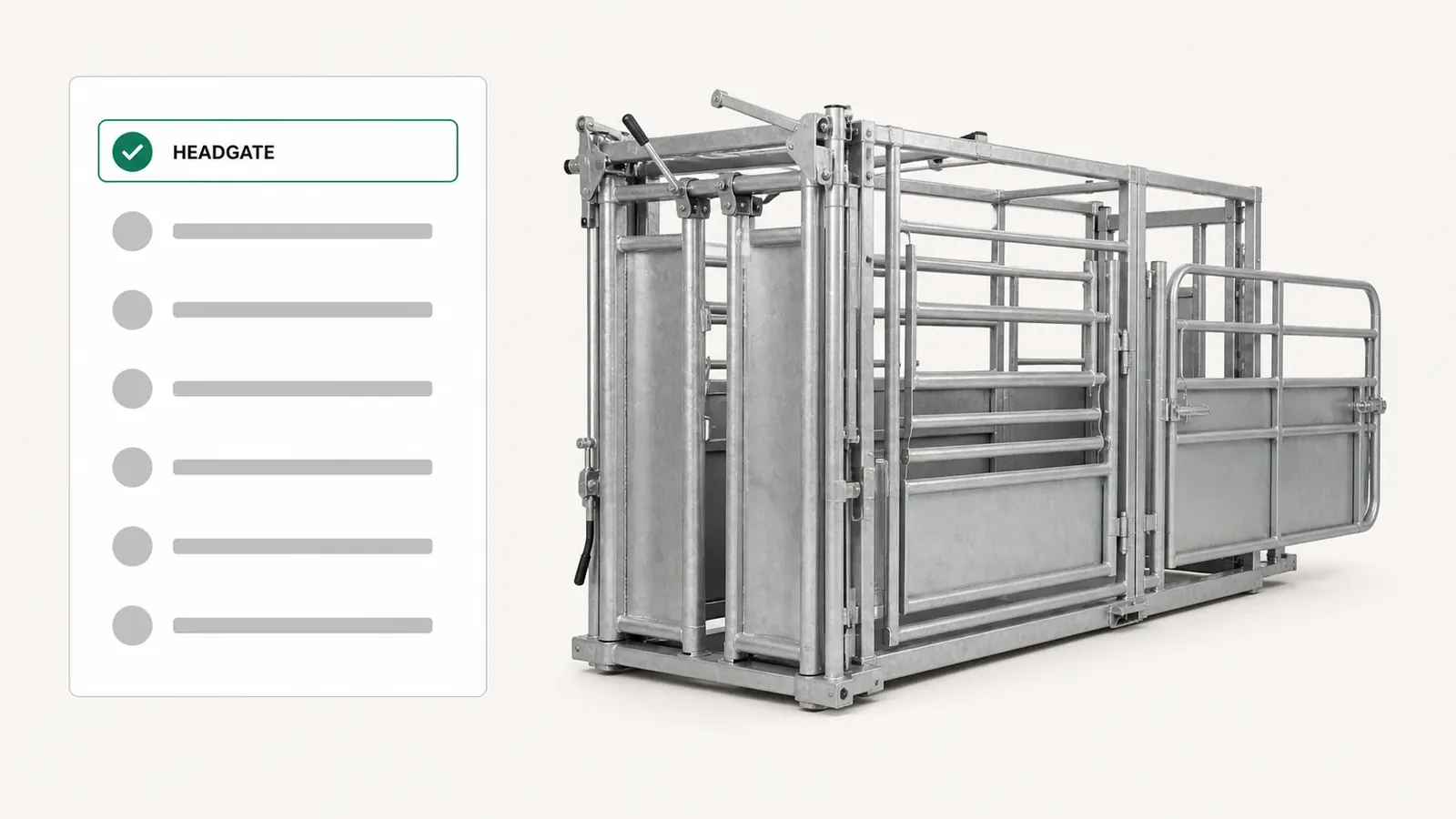
A livestock squeeze chute redrawing in the browser as the headgate and side exit options change, with no plugin installed.

A model that keeps up with the clicking

The view has to redraw faster than a buyer changes their mind, on the laptop the dealer already owns and over the connection a job site actually has. A configurator that stutters gets closed, and the meeting goes back to the spec sheet it was supposed to replace.

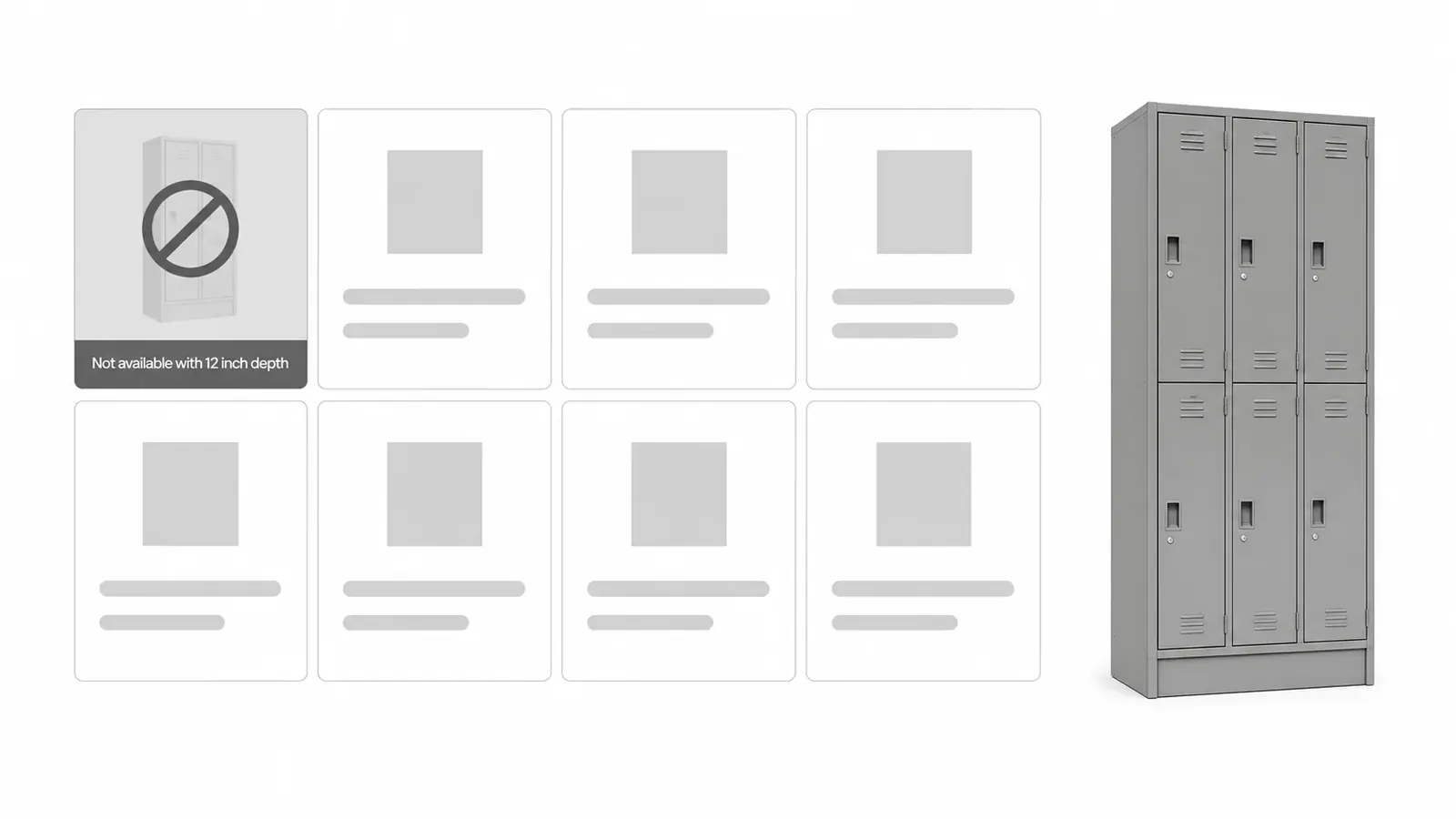
Option rules refusing an invalid modular locker bank, one door style greyed out because the bank depth rules it out.

Rules that stop an invalid build becoming a quote

The picture will happily show a span nobody can weld. Option dependencies and exclusions have to run on the same click as the render, so an impossible combination is refused at the option rather than caught on the shop floor three weeks later. This is the line between visual CPQ and a 3D viewer with a price label on it.

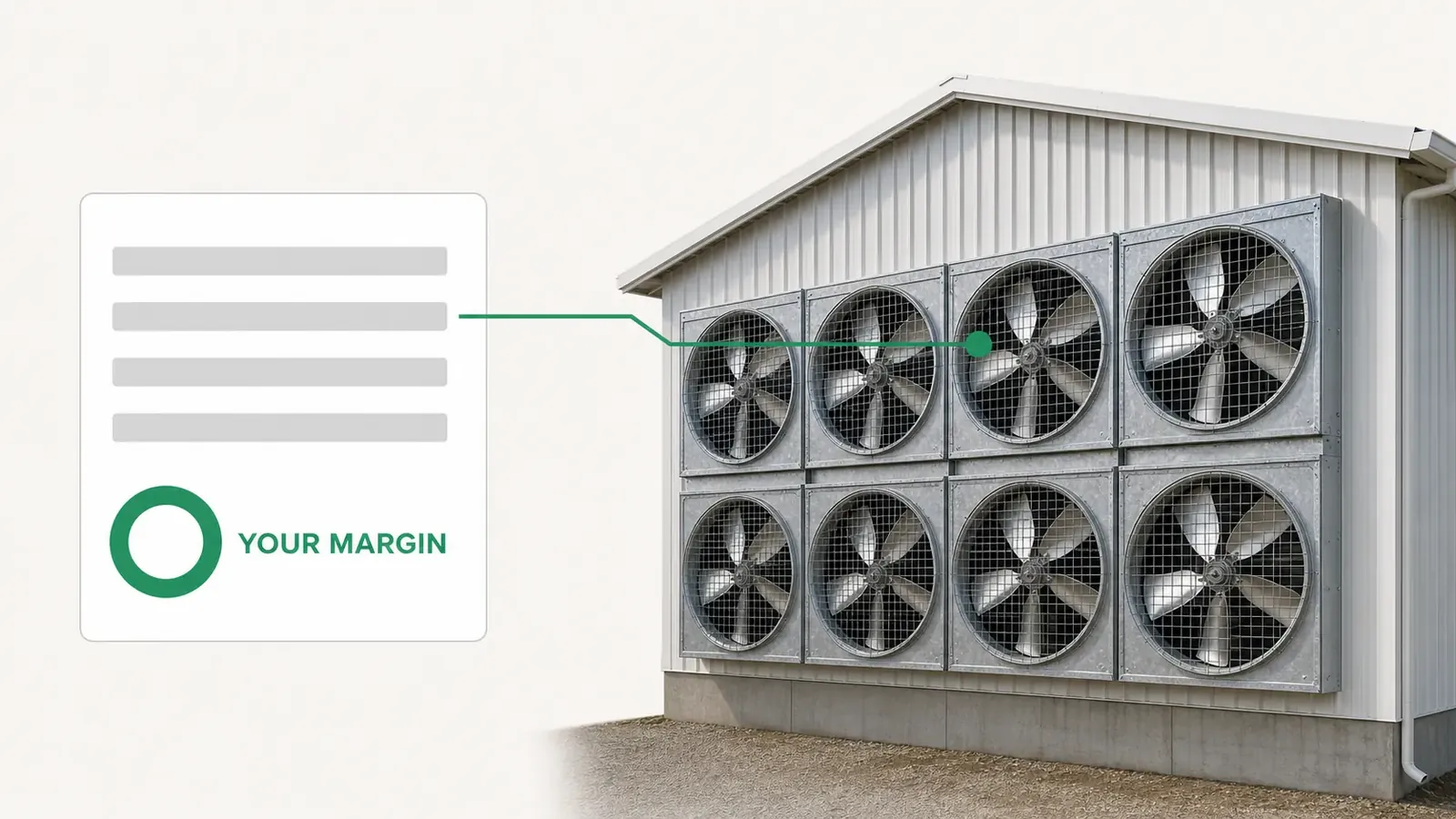
A poultry ventilation bank priced fan by fan, the running total and the dealer's margin ring moving as a fan is added.

A price that moves with the view

Every option priced on its own line, recalculated on the click that changed the picture. Not a total assembled at the end, and not a range. The dealer watches their own margin while they build, which is what makes them willing to build in front of the buyer at all.

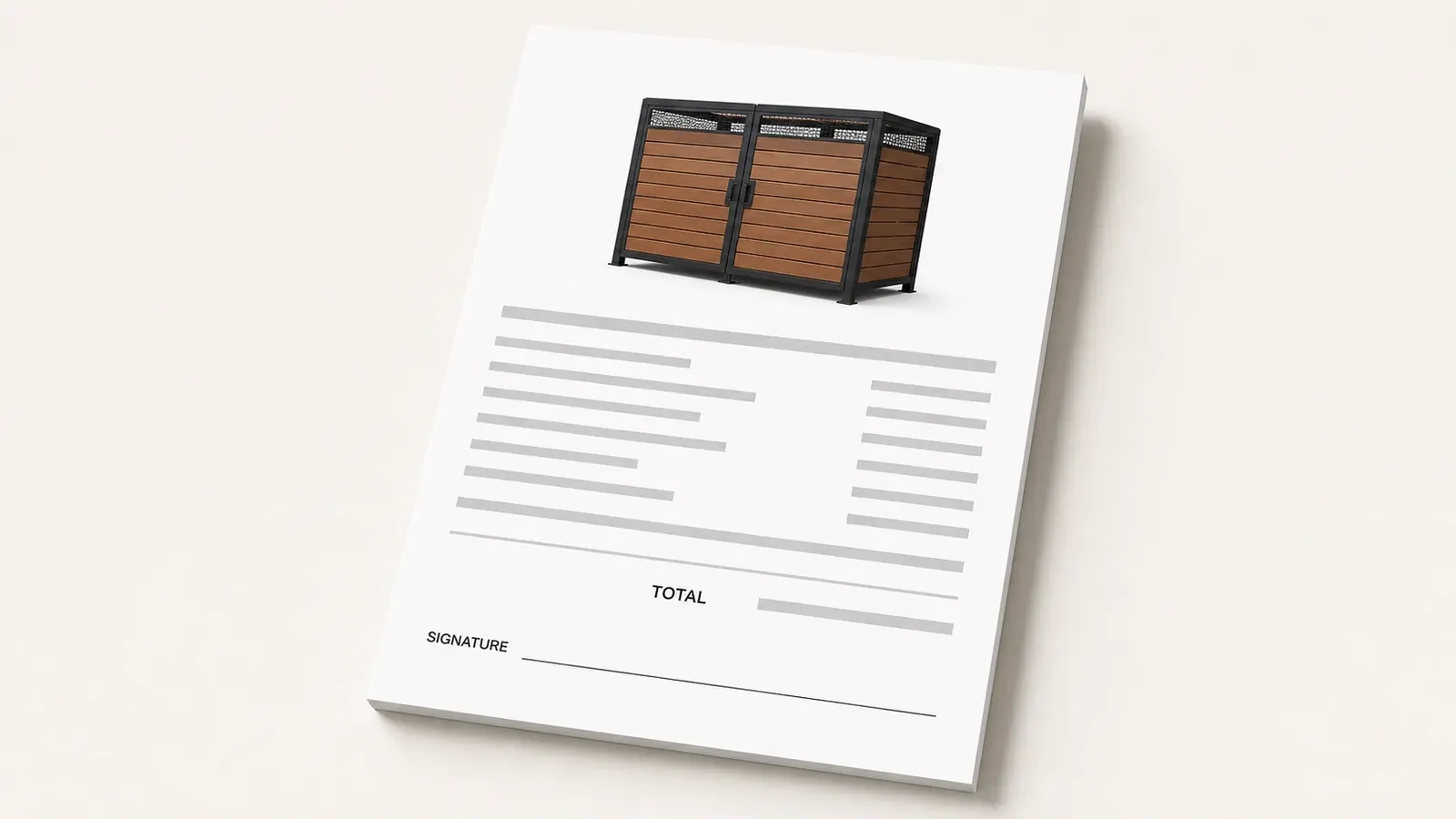
A quote for a configured trash enclosure, the render of the approved build printed on it and a signature block at the foot.

A quote that carries the spec and the picture

The document is generated from the configuration with the render attached to it, so what the buyer opens tomorrow is what they approved today. Nothing is transcribed. Used this way it is also a sales configurator: one flow that ends at a signable document rather than a saved specification.

Where it pays

Which products this suits, and which it does not

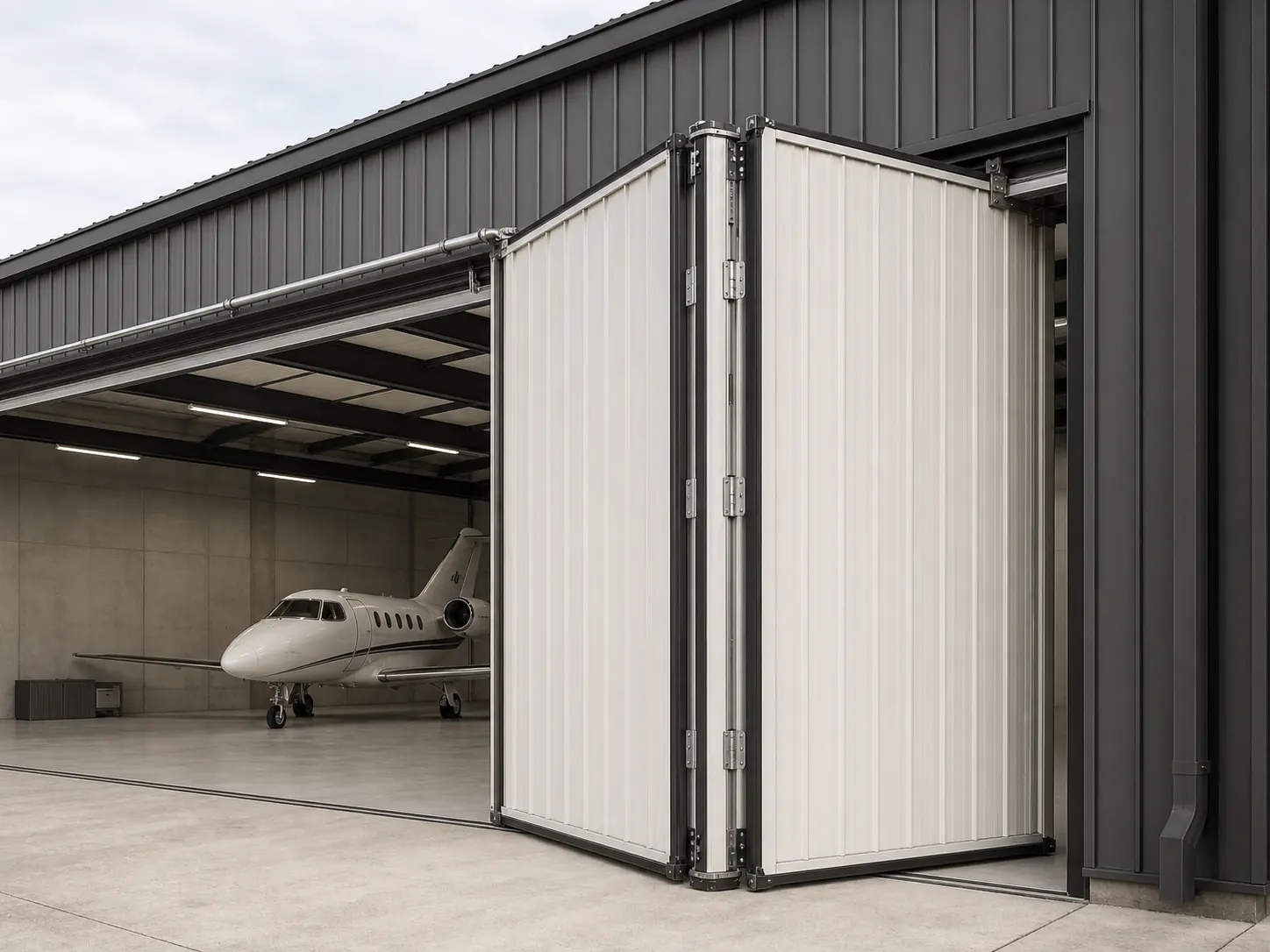
A configured aircraft hangar door on the building it was specified for, the panel count and drive package for that opening.
  • Structures

    Carports, shelters, mezzanines, enclosures. Anything whose shape changes with the site it goes on.

  • Vehicles and trailers

    Bodies, decks, axles, equipment packages. The option list is longer than the catalog by an order of magnitude.

  • Industrial equipment

    Machines specified to a duty rather than picked off a shelf, with capacity and clearance driving everything downstream of them.

  • Outdoor living

    Saunas, kitchens, pool enclosures, pergolas. Sold on a picture long before anybody reads a specification, which is the family our sauna configurator and outdoor kitchen configurator are built for.

It does not suit a catalog of fixed SKUs with three colour options. Where the buyer can already picture what they are ordering from a photograph and a size, visual CPQ is an expense with nothing behind it and a good order form serves you better. The test is whether the price moves with the choices, and whether the result is something a person has to be shown before they will sign for it. Where dealers do the selling, the picture and their own prices arrive together in your b2b customer portal.

Setup and cost

What you hand over, and what it costs

Two questions nobody on this subject answers. The first one is the reason a shop without a CAD library never gets as far as calling anybody.

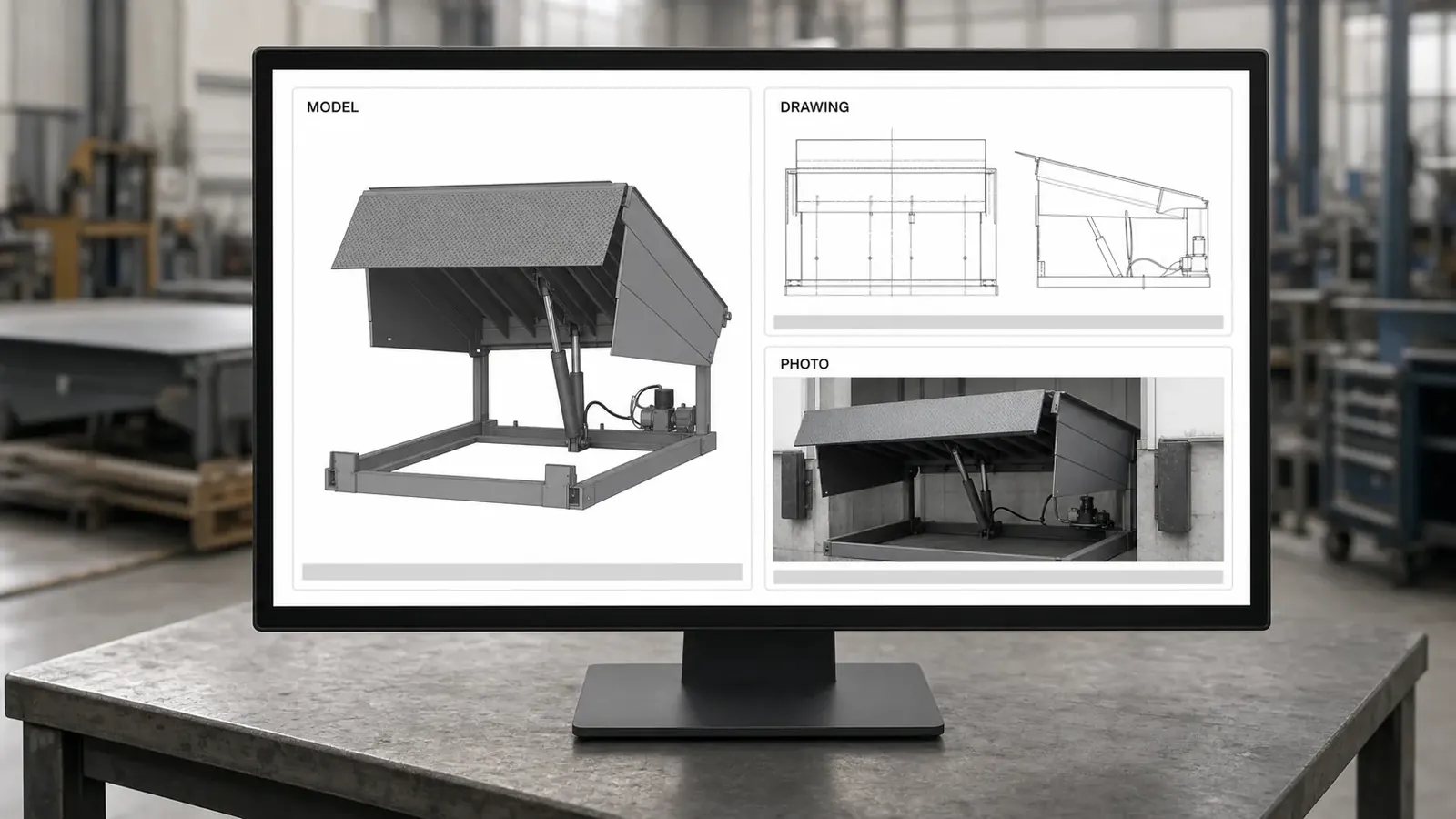
A shop drawing and a photograph of a hydraulic dock leveller becoming the configurable model, with no CAD file needed.
You bring · Shop drawings and photographs
Not CAD files. Every visual CPQ vendor implies an asset pipeline you do not have, and a shop without a CAD library reads that as a disqualification before the first call. The models get built from what is already on your shelf: general arrangement drawings, a spec sheet, and photographs of a finished build. CAD helps where it exists and never decides whether this can start.
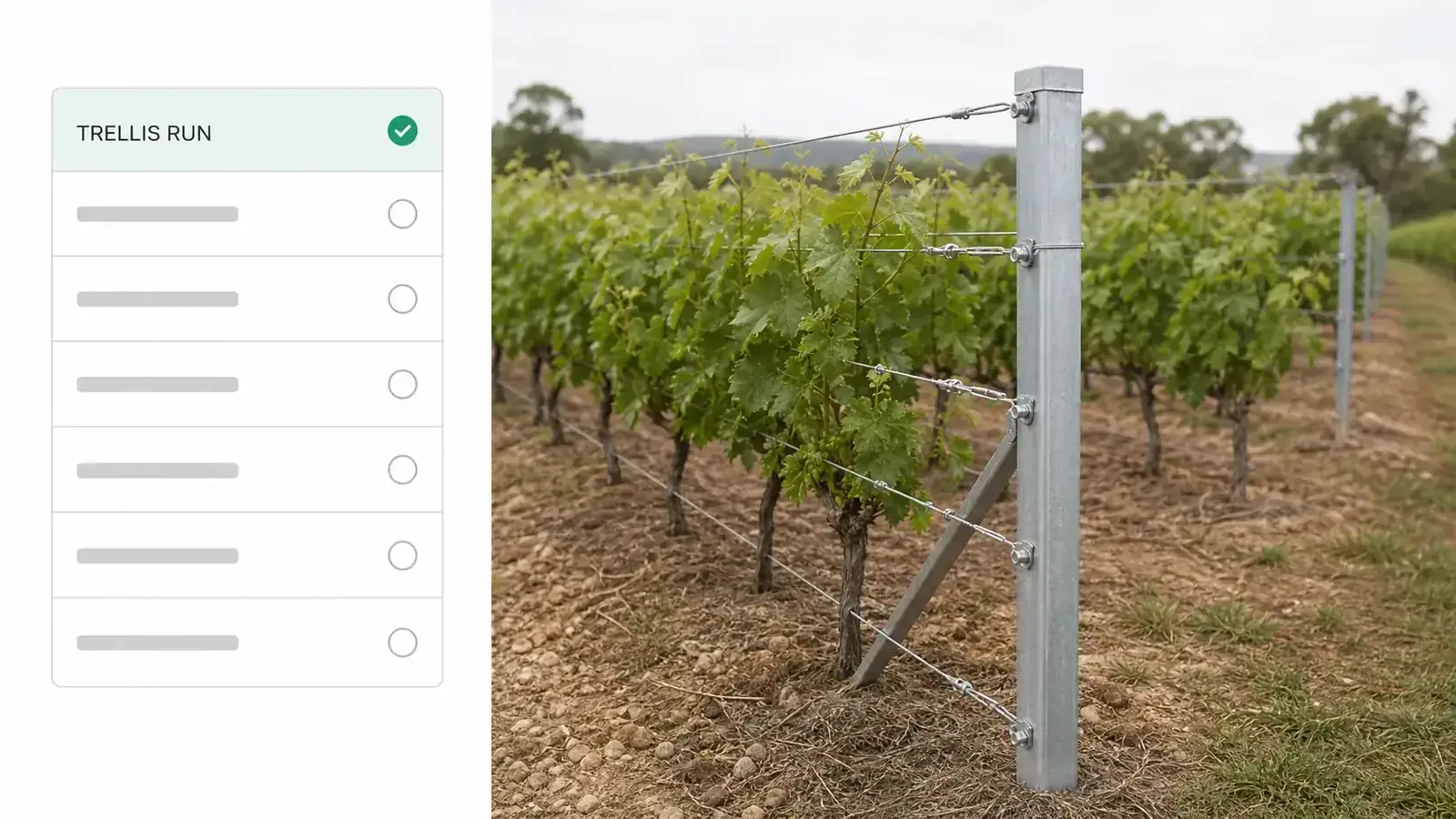
One product line going in first: a vineyard trellis run configured and live while the rest of the catalog waits behind it.
You bring · One product line
Not everything you sell. One line goes in first, your dealers start quoting on it, and the rest follows once that one is working. Choosing the line you argue about most is usually the fastest way to find out whether the rules you think you have are the rules you actually have.
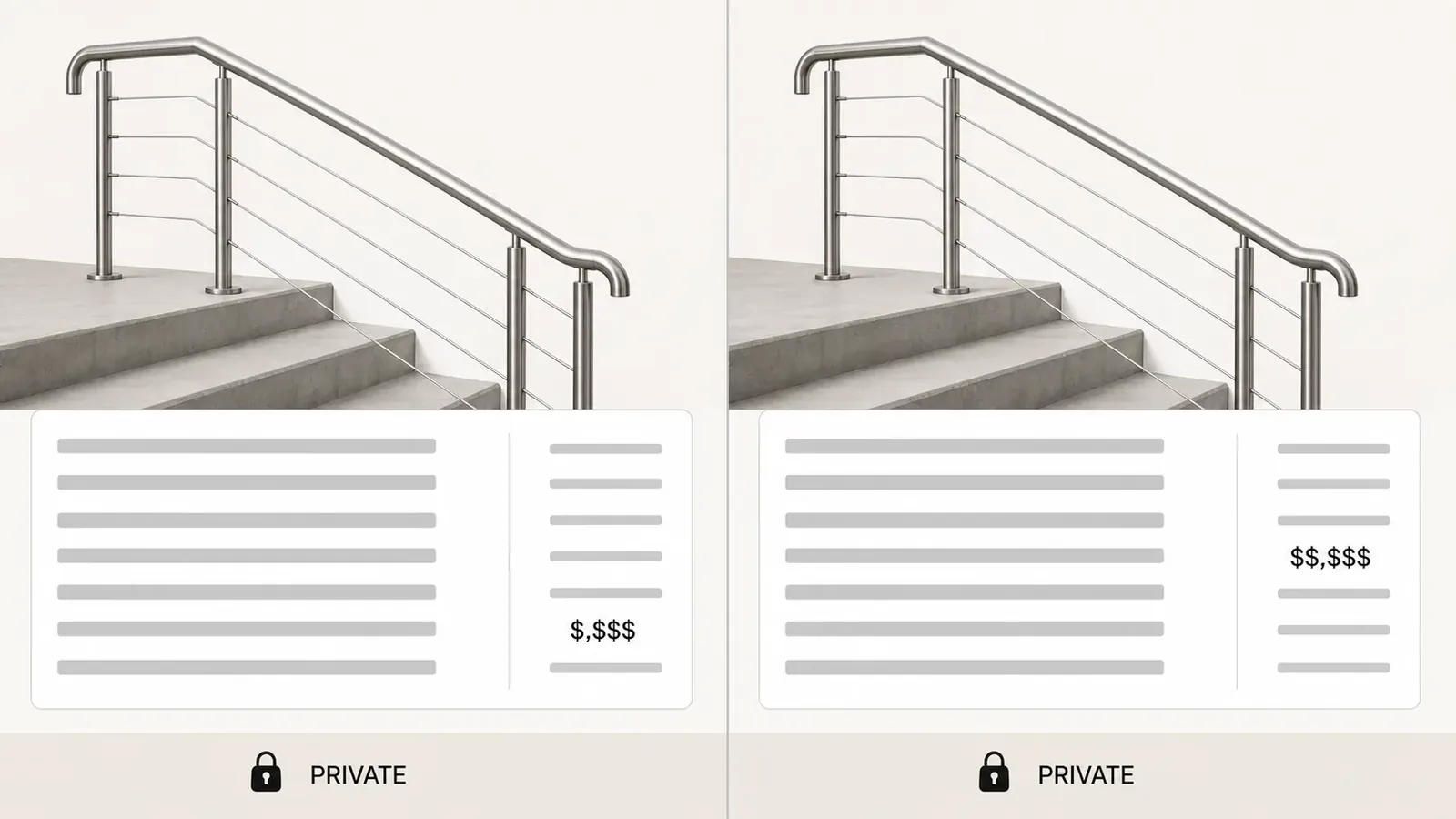
Two dealer price lists against one stainless handrail system, each dealer seeing their own numbers and not the other's.
You bring · Your option list, your rules, and your prices
Every size, material, finish and add-on, the combinations you will not build, and a price list for each dealer. Those three are what make the number move correctly the moment the picture does. They are also the part of the setup that takes real time, because they are the part nobody has ever written down.
What it costs

Visual CPQ is priced per manufacturer rather than per seat or per render. Three things set the number: how many products, options and rules your configurator has to model, how many dealers will quote in it, and which pieces you add, such as extra 3D views or an ERP connection. Dealect quotes it after a 30-minute demo, so the number you hear is for your products rather than a starting point. Two things do not move: your dealers never pay for portal access, and there is no self-serve tier to sign up for. More on what a configurator costs.

FAQ

Questions manufacturers ask about visual CPQ

Visual CPQ is configure, price, quote with the product on screen as it is configured. The buyer watches the build change as each option is chosen and the price moves with it, so what gets approved is a picture rather than a written specification somebody has to imagine. Underneath the view sit the same two things an ordinary CPQ runs on: the manufacturer's option rules, which decide which builds are valid, and the price book each option is costed from. The render is the interface and those two are the engine, which is why a visual CPQ is judged on what it refuses to quote rather than on how good the picture looks. The finished configuration then becomes the quote with its render attached, so the document the buyer opens tomorrow shows the build they approved today.

Traditional CPQ produces a correct quote and shows the buyer a document. Visual CPQ produces the same quote and shows the buyer the build it is pricing, live, while the options are still being chosen. The rules and the price book underneath are the same, and so is the output: a priced configuration and a signable quote carrying its line items. What changes is where the buyer's uncertainty goes. Under traditional CPQ they approve a parts list and a set of dimensions, then find out at delivery whether what they pictured is what they actually bought. Under visual CPQ they see the build before they sign, so the change order that would have landed after the steel was cut happens instead as a click during the meeting, which is the one place it costs nothing.

No. Shop drawings, a spec sheet, and photographs of a finished build are enough to start, and those three are what a custom shop already keeps on the shelf. The models get built from them. CAD helps where it exists and is never the thing that decides whether you can begin.

It can be 2D. A layered 2D view is cheap to build, instant on a phone, and enough for products that vary in finish and trim rather than in shape. Real time 3D earns its cost where the shape itself changes with the order, which covers most configurable structures and equipment.

Yes. Every dealer works from their own price list and watches their own margin while they configure. The buyer sees one finished price. Your cost price never leaves your side, and no dealer ever sees another dealer's numbers.

It is priced per manufacturer rather than per seat or per render. Three things set the number: how many products, options and rules the configurator has to model, how many dealers will quote in it, and which pieces you add, such as extra 3D views or an ERP connection. Dealect quotes it after a 30-minute demo, so you hear your full number on that call. Your dealers never pay for portal access, and there is no self-serve tier.

Last updated

Proof

Their dealers quote without them now.

Manufacturers who moved their dealer network onto Dealect, in their own words.

Marcus Hale, owner of Ridgeline Trailer Works

A dealer quote used to take me two days of back-and-forth. Now dealers send it themselves in ten minutes — and I just tap approve.

Marcus HaleOwner · Ridgeline Trailer Works · custom trailers
01 / 04
Next step

Watch one of your own products get built on screen.

Request a 30-minute demo, bring one product, and see it configured, priced, and quoted live on the call. We reply by email to set up the time.

  • 30-minute personalized demo
  • See real configurators in your industry

Your call is with the Dealect team.

See pricing